
Windows Video Editing Software
How to get the video from the camera and up on the Internet
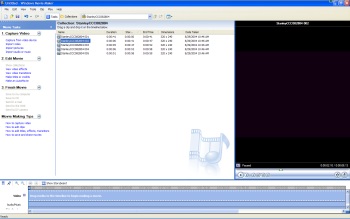 Download Windows Movie Maker for Free
In order to share your videos
with others on the Internet you'll have to transfer them from your camera to
your computer, then save them in a format that most people can use. Typically
about anyone that has a windows computer can view .wmv files, so that's the
file format I would recommend. If you're using Microsoft XP for your computer
operating system there is a very simple to use and "FREE" program that is
available from Microsoft called Microsoft Movie Maker. It saves files in
the .wmv format which almost anyone can see if they have Microsoft Media Player
and has the ability to slow the video down to analyze launch video and other
fast moving events. If you want to get fancy, you can add music, different
effects, etc.
Free - Download Movie Maker for Windows
Other software that comes highly recommended for racing video editing is Corel VideoStudio Pro which sells for around $64. This software is nice for specal effects and has more capabilities than Microsoft's Movie Maker.
Posting your video
Once you have your video in .wmv format you'll want to upload the file to a website like YouTube so your friends can download it. Don't email the video to your friends unless you know for sure they have a high speed connection to the Internet. If they are on a dialup service they won't appreciate having to download a large video over the phone line! It's a lot better to share if you host it on a video server, and you can post a link to download it on your favorite message board. If you have your own website, then you can also upload the file to your server. Be forewarned though, typically videos use up a lot of bandwidth and could make your site go over it's bandwidth allocation quickly.
Some of the best places to use that will host your video for free are;
You may wish to use Youtube if you want to share the same video on Forums and to Facebook both. Currently Facebook doesn't allow embedding their videos outside Facebook.